Quiutie app icon

Photo editor for iPhone and iPad

Bring back the light you saw.

Quiutie opens your RAW, ProRAW and HEIC photos and gives you real control: light, color, curves, masks and Color Transfer. Everything is edited on your device.

Download on theApp Store

Free on iPhone · 7-day free trial on iPad · iOS and iPadOS 16.4 or later · Mac coming soon

A sailboat anchored off Corsica at sunset, after editing in QuiutieA sailboat anchored off Corsica at sunset, before editing
Corsica, shot in RAW. Auto Light, then Temperature +32, Tint +15 and Vibrance +38. Drag to compare.

Looks

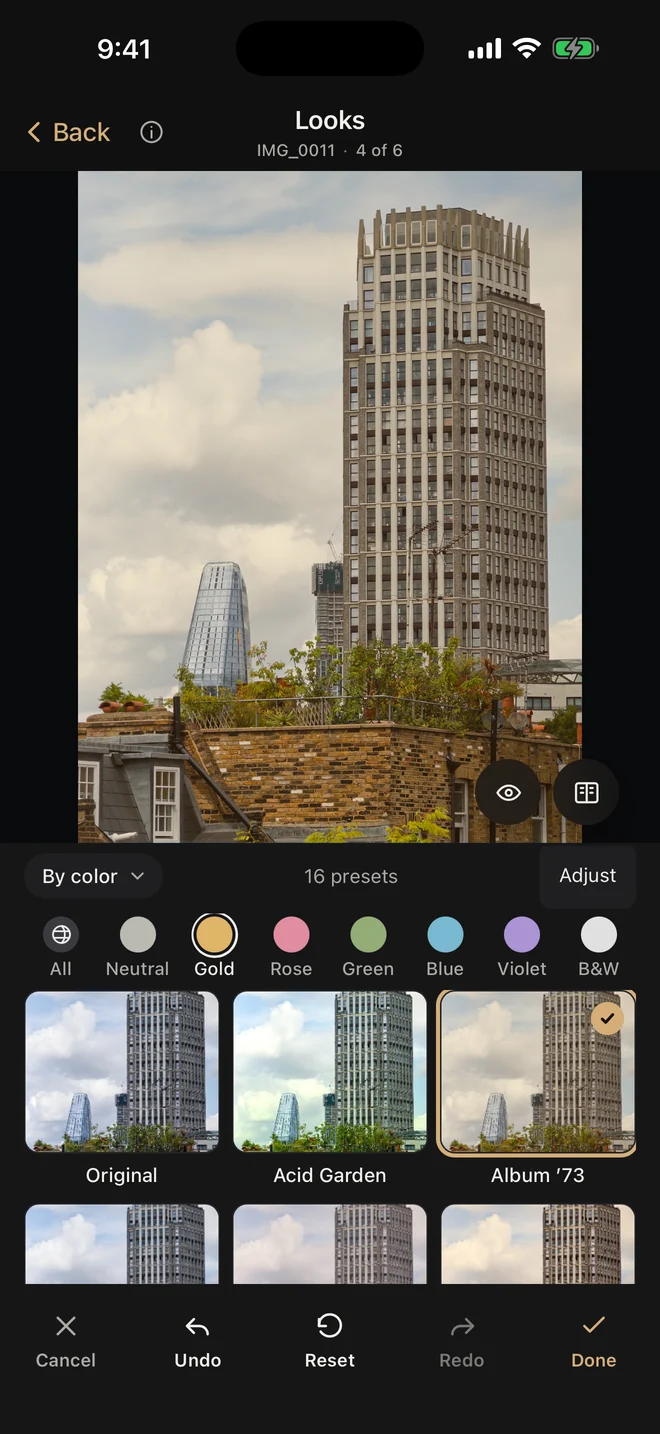
76 looks, sorted by color.

Pick one and keep going: every slider underneath stays editable. Browse Neutral, Gold, Rose, Green, Blue, Violet and B&W, or save your own.

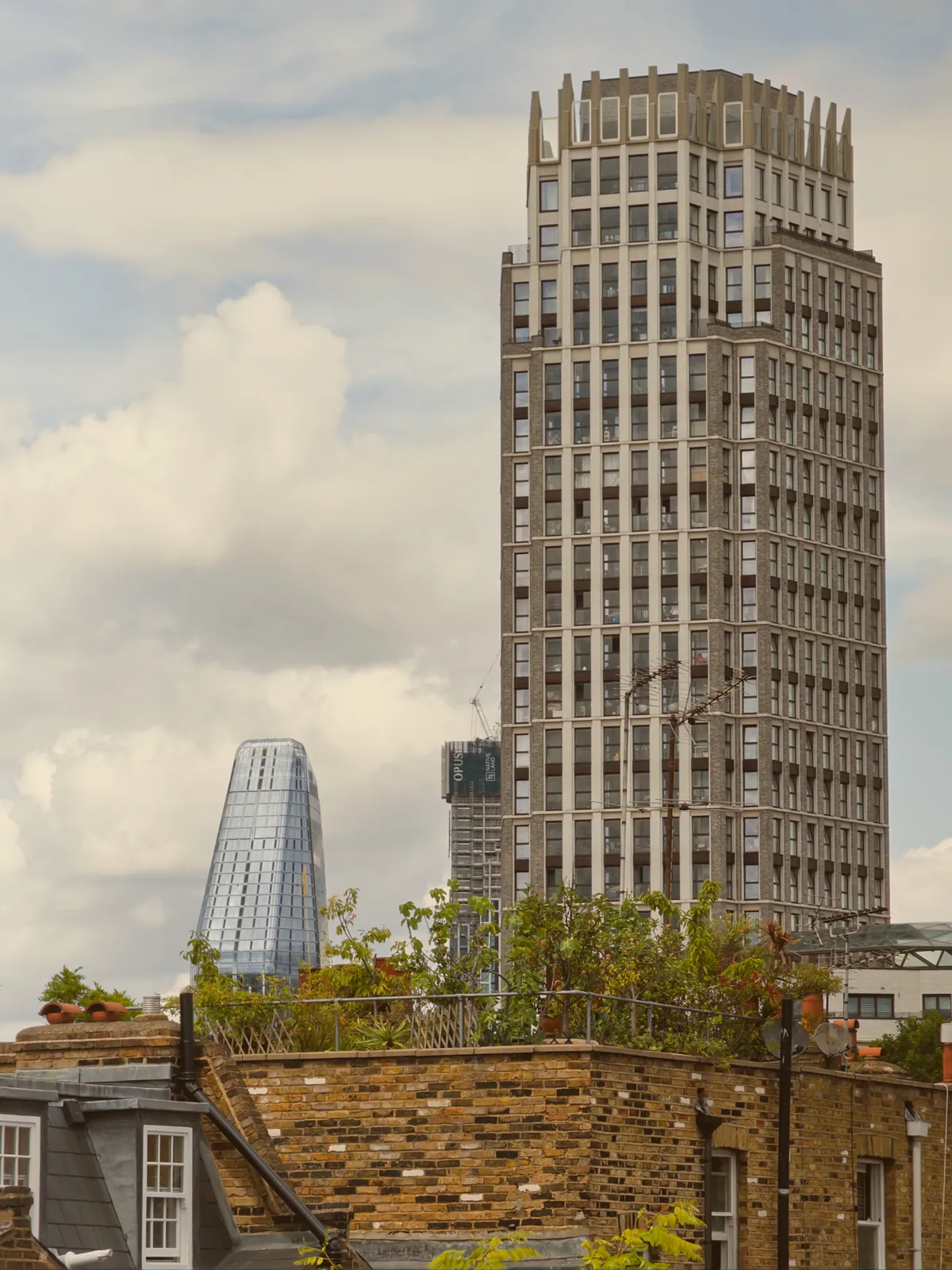
The Looks panel on iPhone with Album ’73 applied to the London photo
Looks on iPhone.
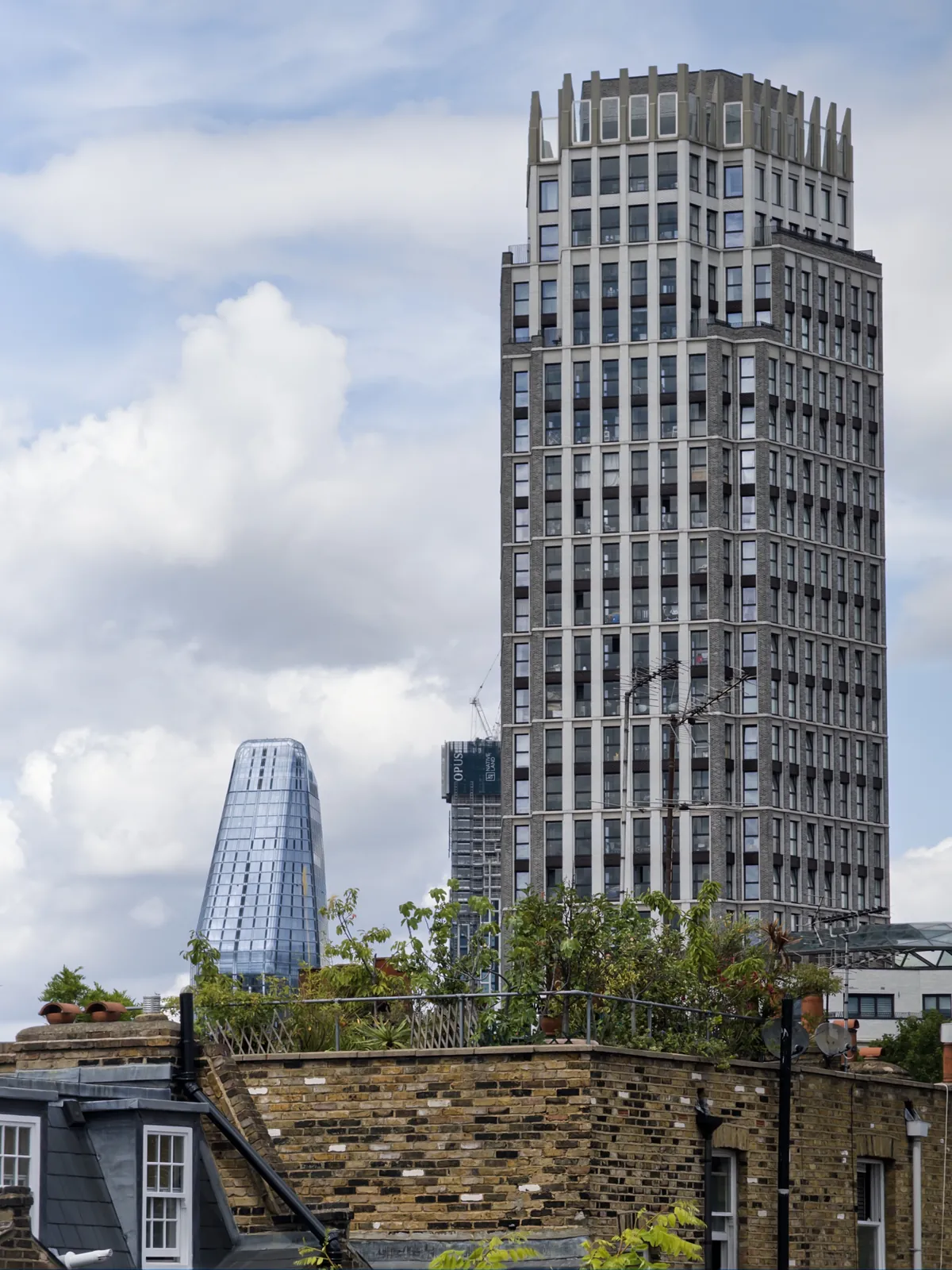
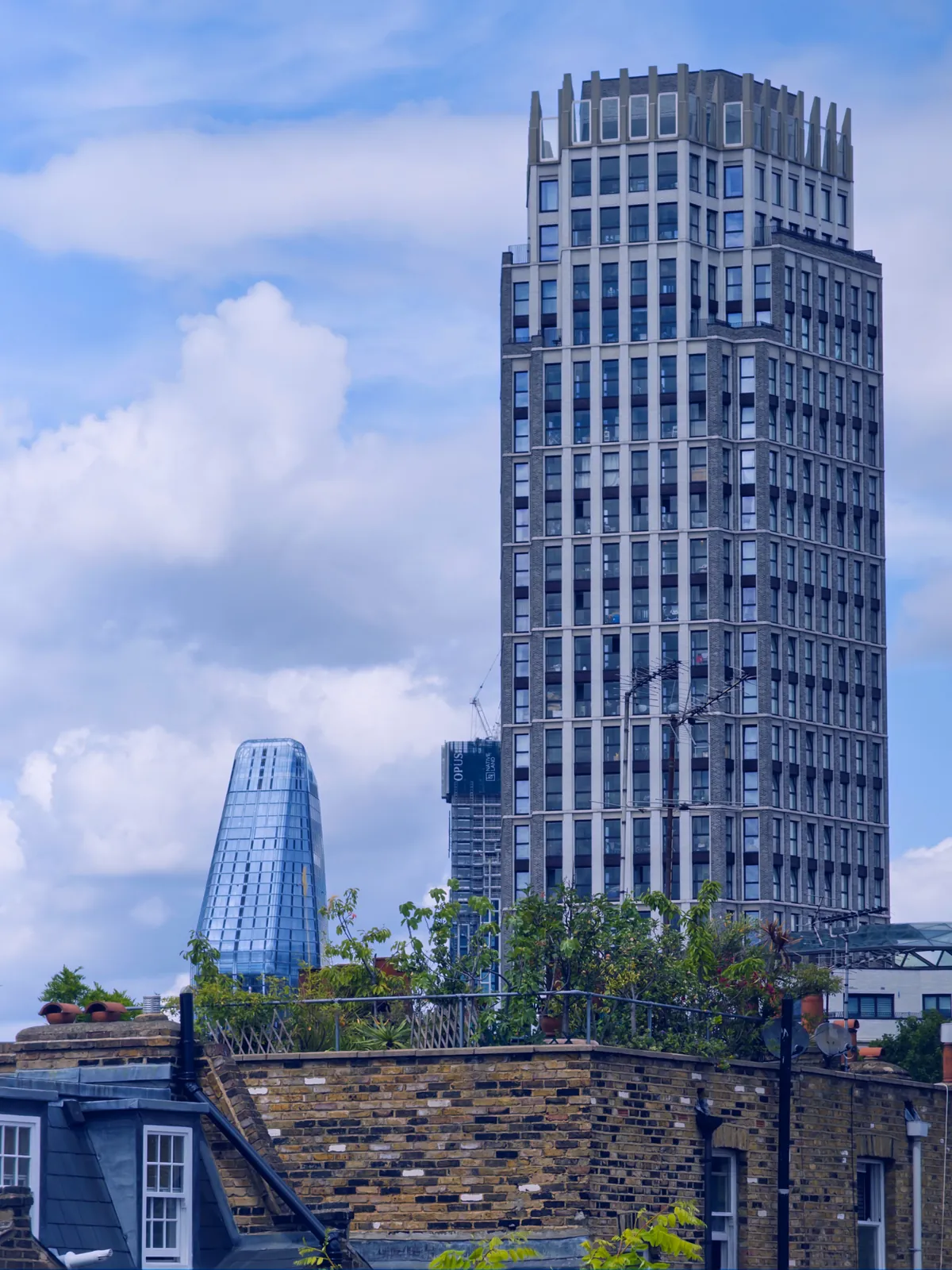
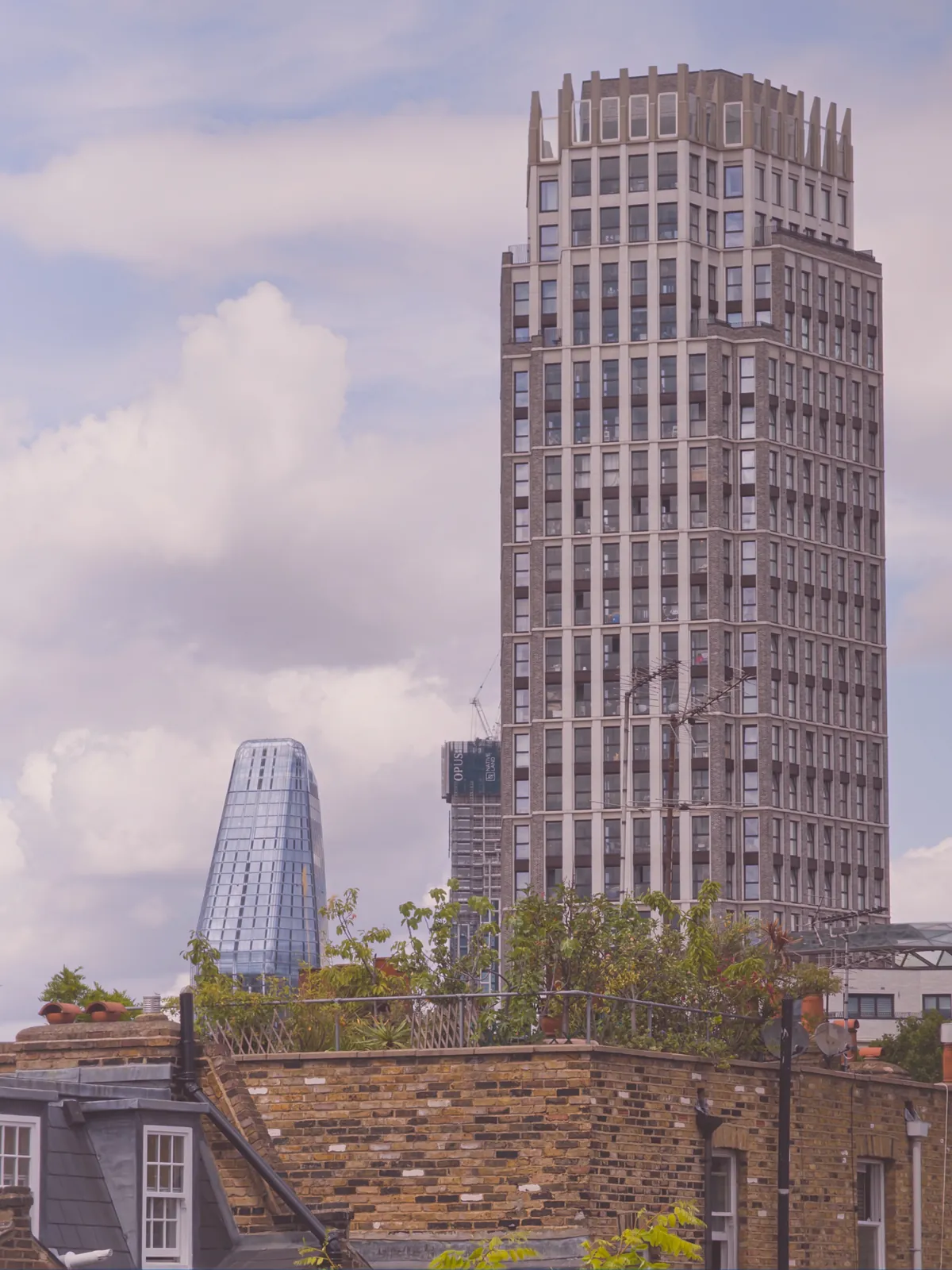
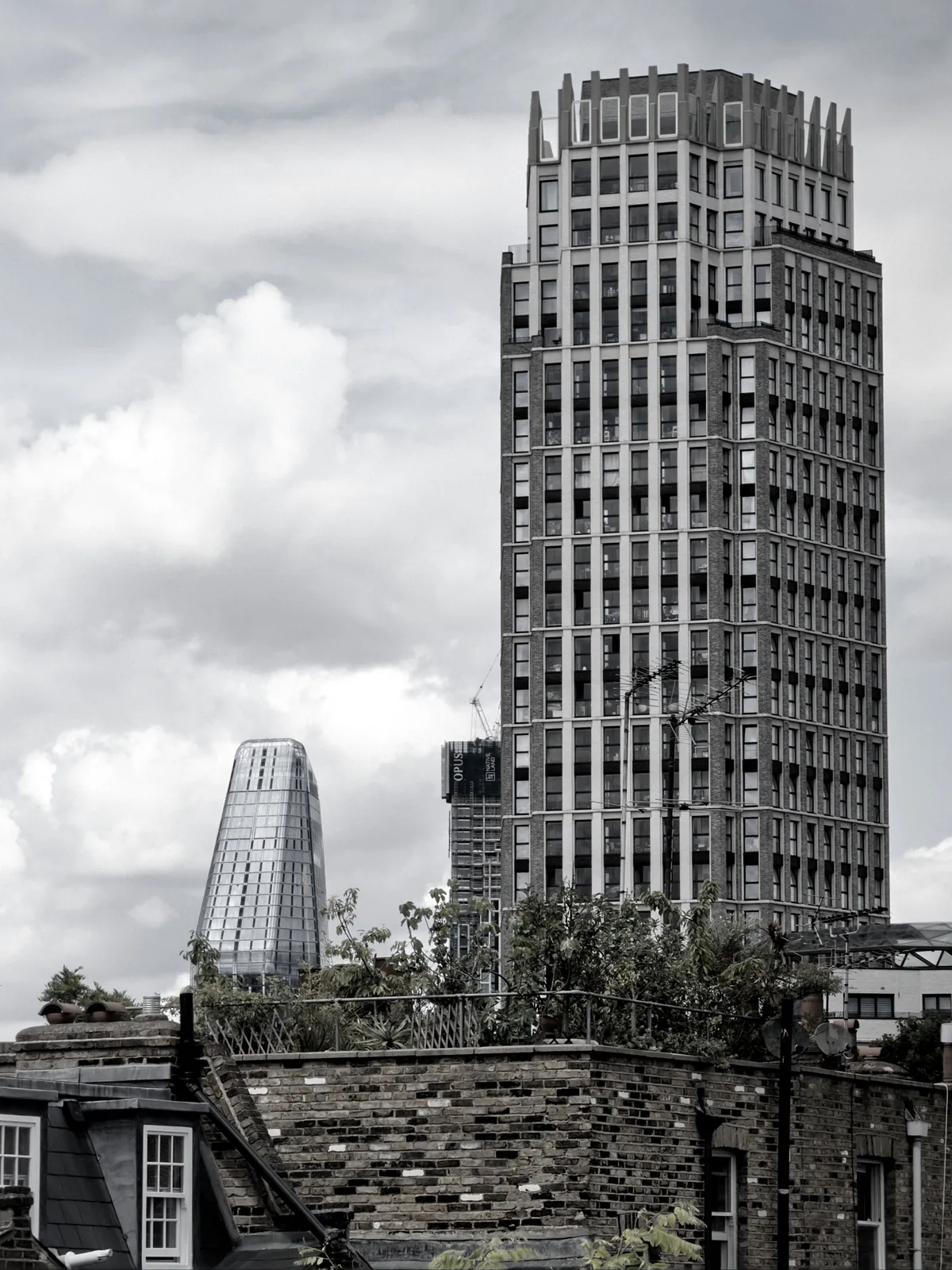
A London tower block against summer cloudsOriginalAs shot

Color Transfer

Borrow the color of another photo.

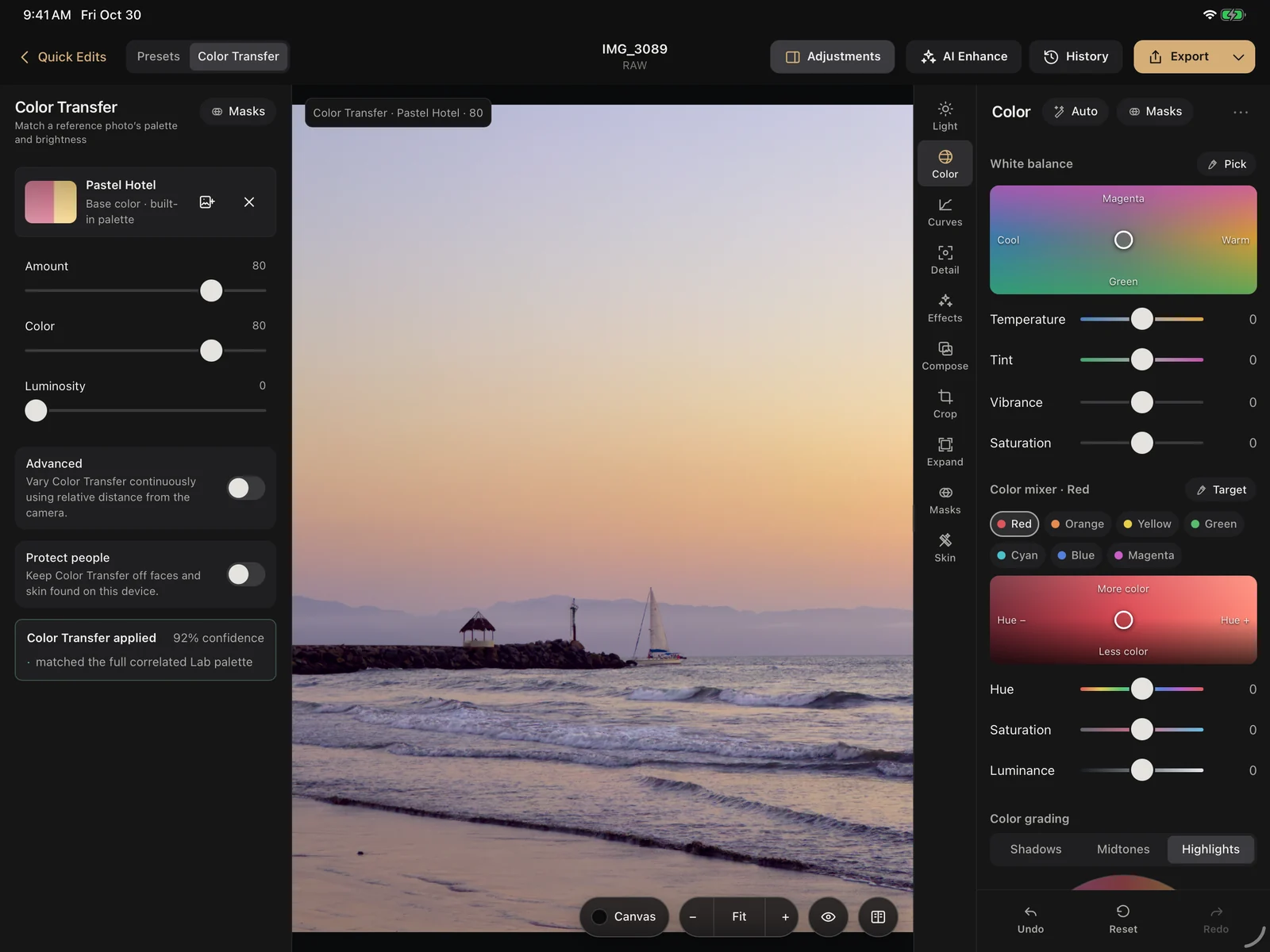
Choose any photo as a reference, or one of 85 built-in palettes, and Quiutie matches its palette and brightness. Dial Amount, Color and Luminosity to taste, and turn on Protect people to keep faces and skin as they are.

Waves on a beach at dusk with a sailboat and a jetty, after editing in QuiutieWaves on a beach at dusk with a sailboat and a jetty, before editing
A built-in palette. Apple ProRAW at dusk with the Pastel Hotel palette at 80.
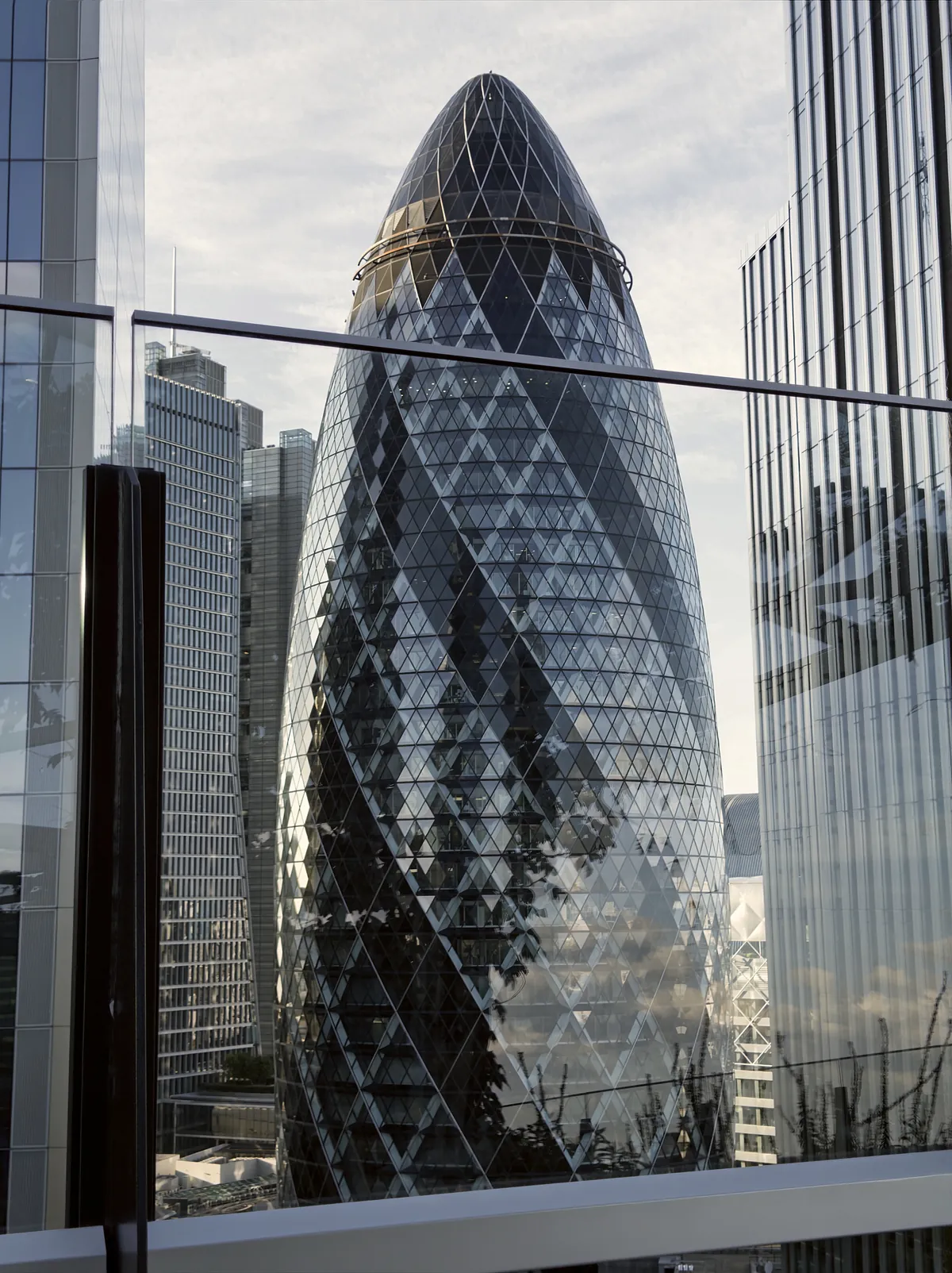
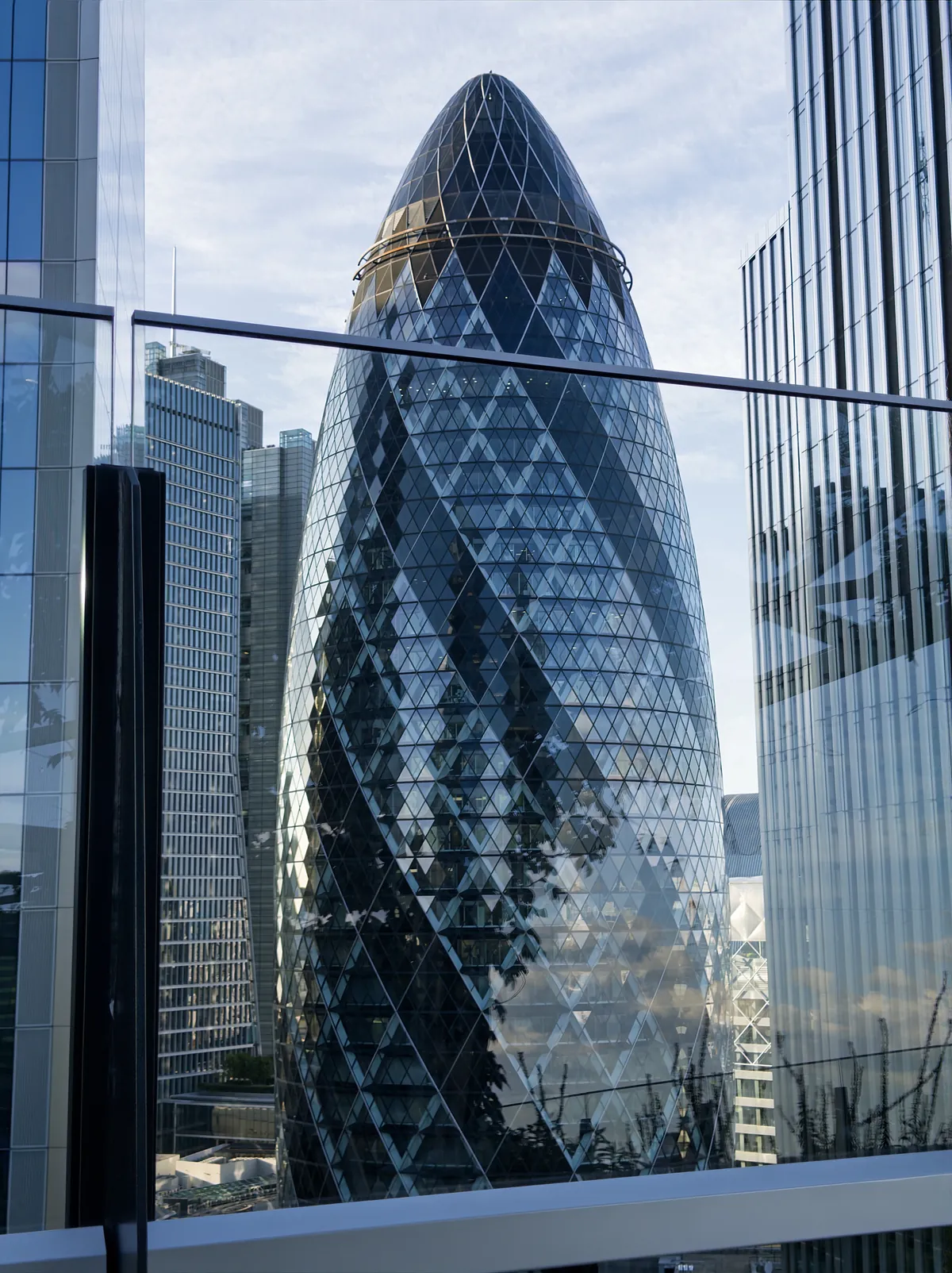
The Gherkin in London framed between glass towers, after editing in QuiutieThe Gherkin in London framed between glass towers, before editing
Your own photo. The Gherkin, matched to the colors of the beach at dusk.
Color Transfer on iPad, with the Pastel Hotel palette applied to the beach photo
Color Transfer on iPad.

Tools

Every slider, when you want it.

Start with Auto Light, then take over. Every edit stays adjustable, and History keeps every step.

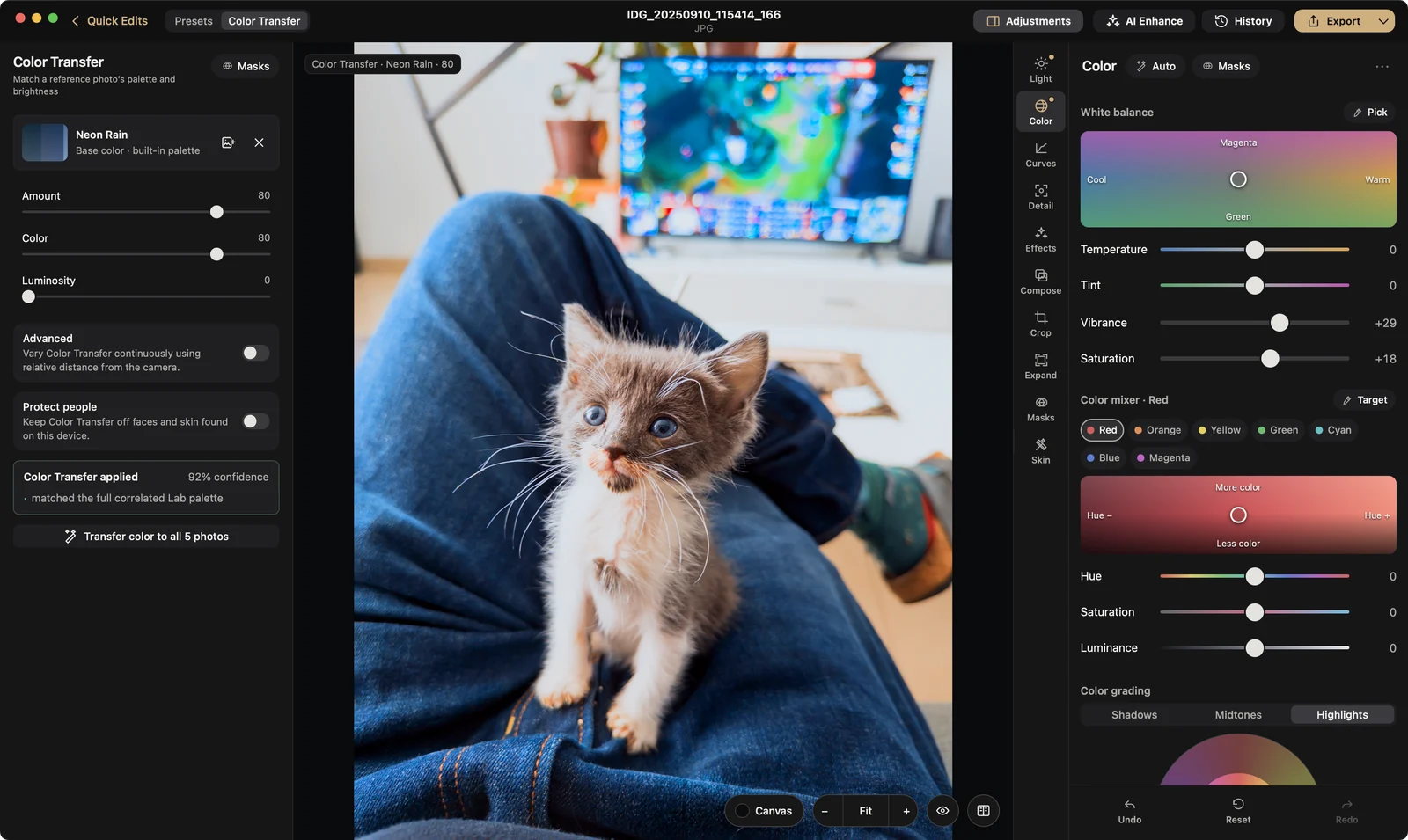
A grey kitten sitting on someone’s lap, after editing in QuiutieA grey kitten sitting on someone’s lap, before editing
Color Transfer with Neon Rain at 80, then Exposure +0.75, Highlights −17, Whites −16, Vibrance +29 and Saturation +18.
  • LightExposure, contrast, highlights, shadows, whites and blacks, with Auto Light and HDR editing.
  • ColorA white-balance pad, temperature, tint, vibrance, a seven-color mixer and color grading.
  • CurvesTone curves and levels, with a live histogram.
  • DetailSharpening and noise reduction, plus RAW Detail for RAW files.
  • Optics & CropLens corrections, straighten and crop.
  • EffectsGrain, bloom, halation, lens blur, vignette, black & white, frames and more.
  • EraseMagic Eraser and Object Eraser remove what you don’t want.
  • ExpandGrow the canvas with mirrored edges, white or black.
  • Double Exposure & TextBlend two photos, or set type on top of one.
The kitten edit in Quiutie on Mac: Color Transfer on the left, the Color panel on the right
The same edit on Mac, with Color Transfer and the Color panel open side by side.

Masks

Change just one part.

Subject, Sky and Background find the area for you. Or paint it, drag a gradient, or select by color, brightness or depth. Invert any mask and adjust only what’s inside it.

Devices

One editor, sized for each screen.

iPhone and iPad are one download. Here’s exactly what each one does.

iPhone

On the App Store

The whole editor in one hand.

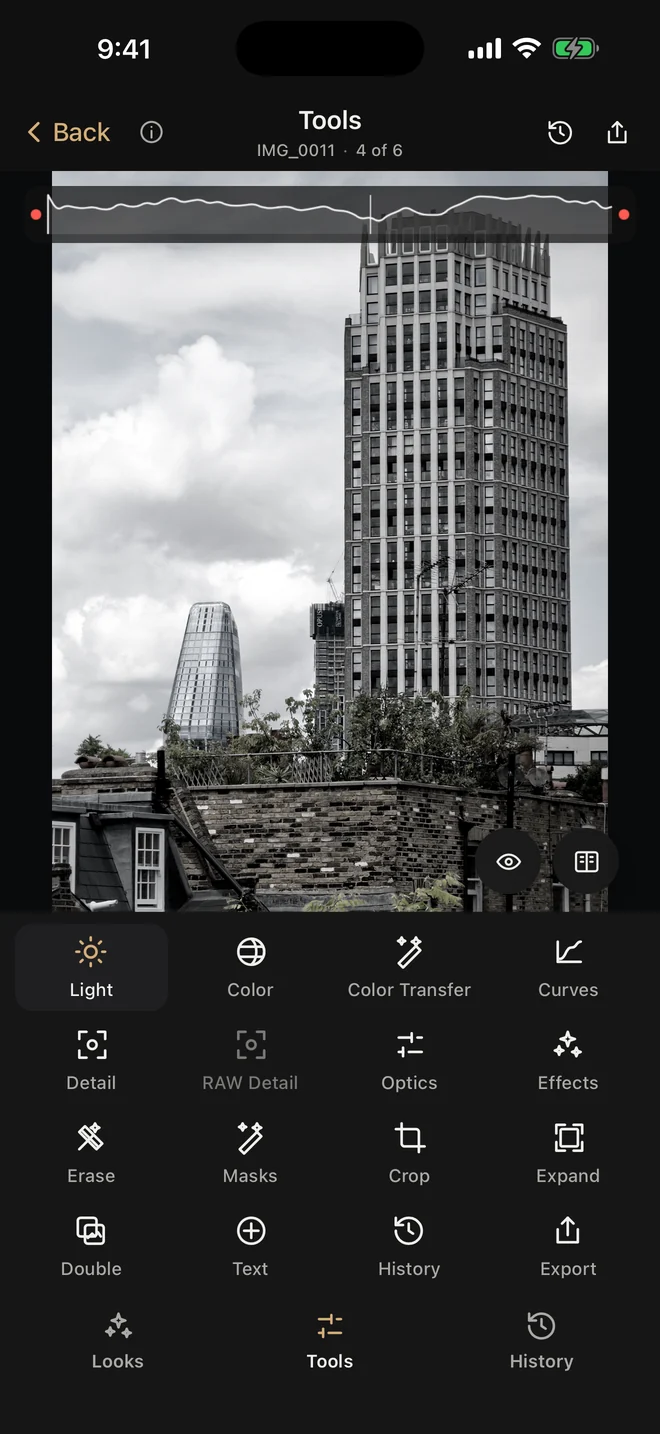
  • Looks, Light, Color, Color Transfer, Curves, Detail and Effects
  • Masks, Erase, Crop, Expand, Double Exposure and Text
  • RAW, Apple ProRAW, HEIC and HDR photos
  • Opens from Photos or Files and saves back to Photos
Quiutie’s tools on iPhone

iPad

On the App Store

Everything on iPhone, with room to work.

  • A full workspace with panels on both sides
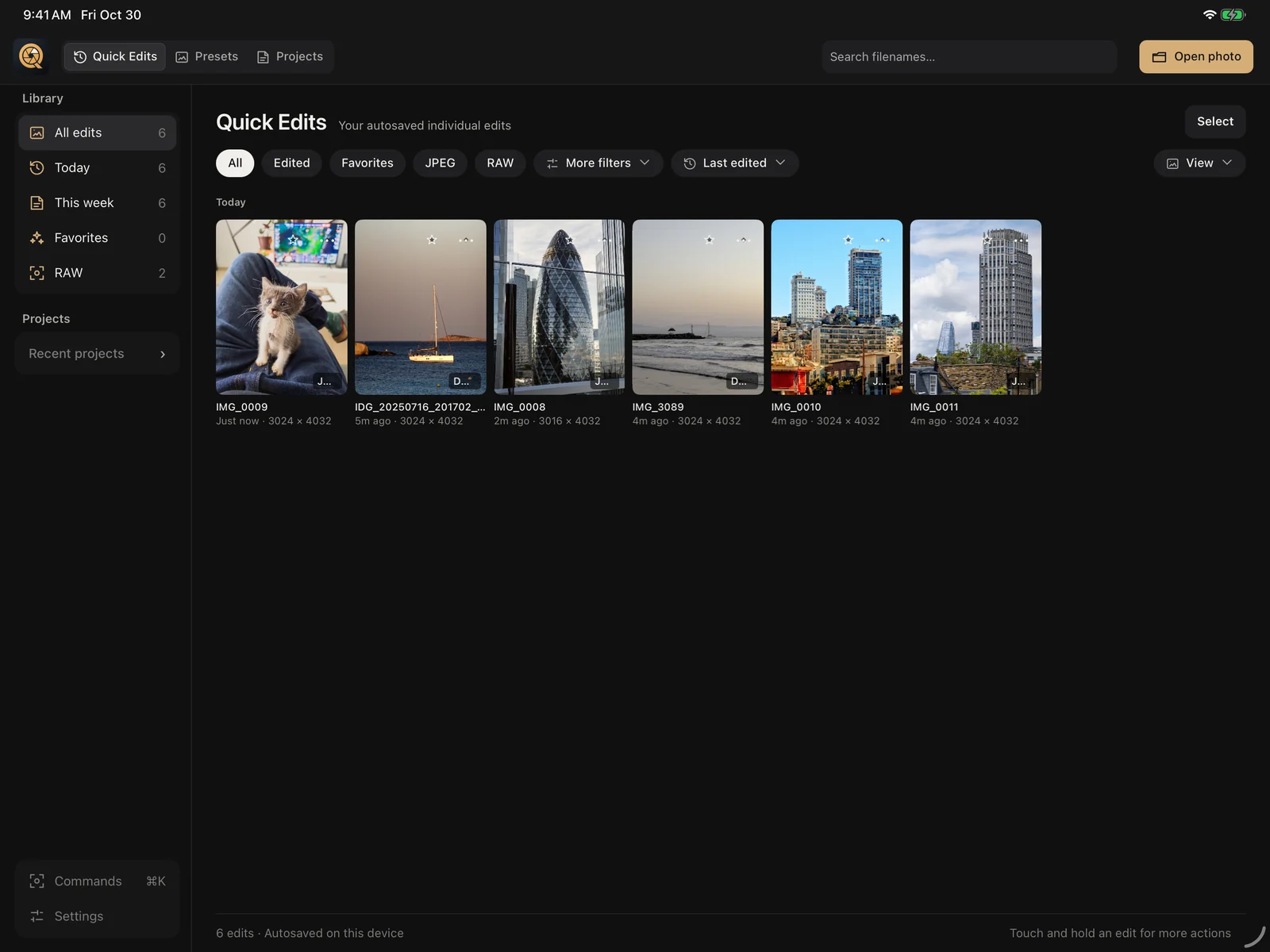
  • Projects with a library and collections
  • The Skin tool and Dimensional Light
  • Apple Pencil for brushing masks and fine control
The Quick Edits library on iPad

Mac

Coming soon

Everything on iPad, plus the heavy tools.

  • AI Denoise, AI Sharpen, Fix Camera Shake, Restore Photo and Upscale
  • Focus stacking and HDR merge on Apple silicon
  • Batch export for whole projects
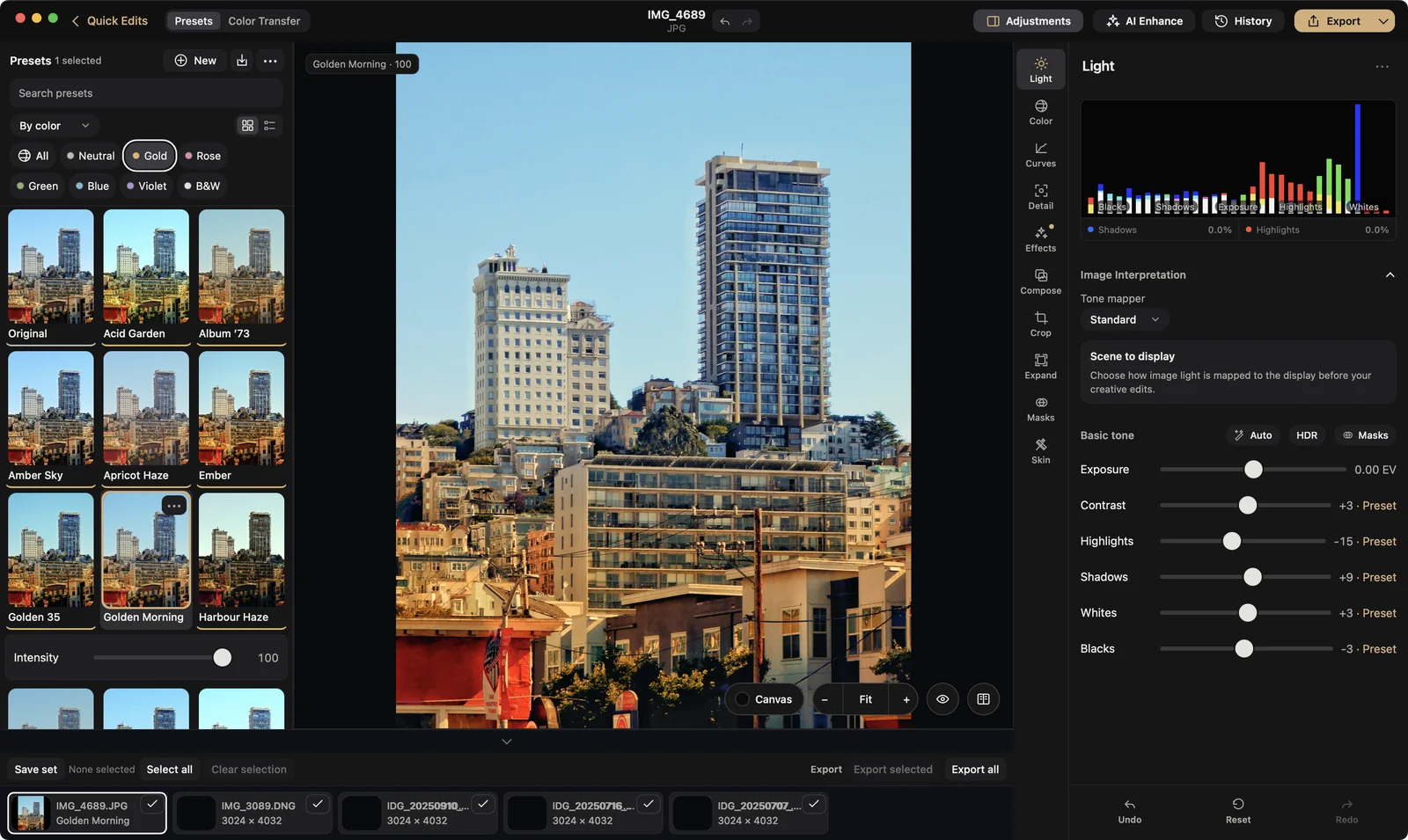
Quiutie on Mac: San Francisco with the Golden Morning look, presets on the left and Light on the right

Pricing

Fair prices, nothing hidden.

On iPhone, Quiutie is free, and Pro unlocks the rest. On iPad or Mac, try everything free for 7 days, then subscribe to Pro for that device to keep editing.

iPhone

Free

$0 forever

A complete editor.

  • Light, Color and Curves
  • Detail
  • Optics & crop
  • Effects
  • Expand
  • Two looks of every color
  • Color Transfer with the Cinematic palettes
  • JPEG export

iPad or Mac

Pro

$9.99 per year, after a 7-day free trial

Everything, with room to organize.

No card for the trial. iPad and Mac are subscribed to separately.

  • Everything in iPhone Pro
  • Projects with a library and collections
  • Batch export
  • AI Denoise, AI Sharpen, Fix Camera Shake, Restore Photo and Upscale on Mac
  • Focus stacking and HDR merge on Mac

On iPhone, Pro is one App Store purchase made in the app, and it stays with your Apple Account. On iPad, Pro is an App Store subscription bought in the app; cancel any time in your Apple Account settings. On Mac, Pro is a key from quiutie.app. Pro on iPad doesn’t unlock the Mac, and one on Mac doesn’t unlock the iPad. Everything you already edited stays yours.

Questions

Good to know.

Is Quiutie free?

On iPhone, yes. Free is a complete editor: Light, Color, Curves, Detail, Optics & crop, Effects, Expand, two looks of every color, Color Transfer with the Cinematic palettes, and JPEG export. Pro adds RAW and ProRAW, Masks, Erase, every look and palette, Color Transfer from your own photo, saving your own looks, Double Exposure, Text, and PNG, TIFF and HDR export for $12, paid once. On iPad or Mac, every tool is free for 7 days, with no card. After that, editing needs Pro, which is $9.99 a year on iPad and $9.99 a year on Mac. Your photos and edits stay either way.

Do my photos leave my device?

No. Quiutie edits on your iPhone, iPad or Mac, with no ads, and your photos aren’t uploaded anywhere. You don’t need an account. Buying a license key on quiutie.app makes one, only to keep the key and free up a device.

Which RAW files does it open?

DNG and Apple ProRAW, plus most camera RAW formats, including Canon CR3, Sony ARW, Nikon NEF and Fujifilm RAF.

Are the AI tools on iPhone and iPad?

Magic Eraser and Object Eraser are. AI Denoise, AI Sharpen, Fix Camera Shake, Restore Photo and Upscale are coming with the Mac version.

When is the Mac version coming?

Soon. It will be announced here and in the app.
Your photos deserve another look.

Download on theApp Store